

As a supplier of 30KW Variable Frequency Drives (VFDs), I often receive inquiries about various features and functions of these devices. One question that comes up quite frequently is how to enable the sleep mode of a 30KW VFD. In this blog post, I'll walk you through the process step by step, explain why sleep mode is beneficial, and provide some troubleshooting tips.
Understanding the Importance of Sleep Mode in a 30KW VFD
Before we delve into the steps of enabling sleep mode, it's essential to understand why it's a valuable feature. A 30KW VFD is a powerful device used to control the speed of an electric motor. In many industrial and commercial applications, the motor doesn't need to run at full speed all the time. For instance, in a water pumping system, the demand for water varies throughout the day. During periods of low demand, the motor can operate at a lower speed or even shut down temporarily.
Sleep mode in a 30KW VFD allows the drive to automatically reduce the motor speed or turn it off when the load requirements are low. This not only saves energy but also extends the lifespan of the motor and the VFD itself by reducing wear and tear. Additionally, it can lead to significant cost savings in the long run, especially for applications with high energy consumption.

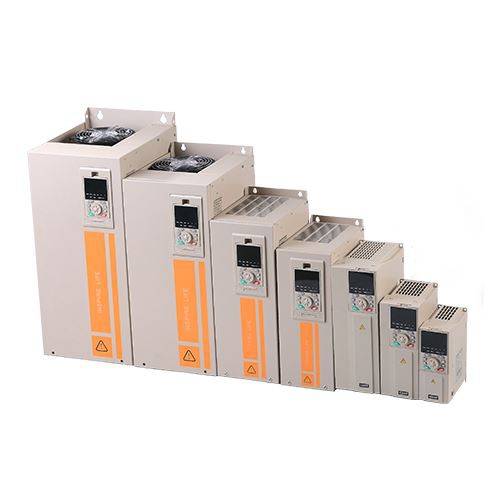
Prerequisites for Enabling Sleep Mode
Before you attempt to enable the sleep mode of your 30KW VFD, there are a few things you need to ensure:
- Proper Installation: The VFD should be installed correctly according to the manufacturer's instructions. This includes proper wiring, grounding, and ventilation.
- Configuration: The basic parameters of the VFD, such as motor rated power, voltage, current, and frequency, should be configured accurately. Incorrect parameter settings can lead to improper operation or even damage to the VFD and the motor.
- Safety Precautions: Always follow safety procedures when working with electrical equipment. Make sure the power is turned off before making any adjustments or connections to the VFD.
Step-by-Step Guide to Enabling Sleep Mode
The process of enabling sleep mode may vary slightly depending on the brand and model of your 30KW VFD. However, the general steps are as follows:
Step 1: Access the Parameter Menu
Most VFDs have a control panel with a display and a set of buttons. To access the parameter menu, you typically need to press the "Menu" or "Parameter" button. Some VFDs may require you to enter a password to access certain parameters.
Step 2: Locate the Sleep Mode Parameters
Once you're in the parameter menu, you need to find the parameters related to sleep mode. These parameters may be labeled differently depending on the VFD manufacturer. Common labels include "Sleep Mode," "Energy Saving Mode," or "Auto Stop Mode."
Step 3: Configure the Sleep Mode Parameters
The sleep mode parameters usually include the following:
- Sleep Frequency: This is the frequency at which the motor will operate when in sleep mode. You can set this value based on the minimum load requirements of your application.
- Sleep Delay Time: This is the time delay before the VFD enters sleep mode. You can adjust this value to suit the specific needs of your application. For example, if the load fluctuates frequently, you may want to set a shorter delay time.
- Wake-Up Frequency: This is the frequency at which the motor will resume normal operation when the load requirements increase. You need to set this value higher than the sleep frequency.
- Wake-Up Delay Time: This is the time delay before the motor starts to increase its speed after waking up from sleep mode. You can adjust this value to prevent sudden changes in motor speed, which can cause mechanical stress.
Step 4: Save the Settings
After configuring the sleep mode parameters, you need to save the settings. This is usually done by pressing the "Save" or "Enter" button on the control panel. Make sure to double-check the settings to ensure they are correct.
Step 5: Test the Sleep Mode
Once you've saved the settings, you can test the sleep mode to make sure it's working properly. Start the motor and let it run for a while. Then, reduce the load on the motor and observe if the VFD enters sleep mode after the specified delay time. If the motor doesn't enter sleep mode or doesn't wake up properly, you may need to review the parameter settings and make adjustments.
Troubleshooting Sleep Mode Issues
If you encounter any issues with the sleep mode of your 30KW VFD, here are some common problems and solutions:
- Motor Doesn't Enter Sleep Mode: This could be due to incorrect parameter settings, such as the sleep frequency being set too high or the sleep delay time being set too long. Check the parameter settings and make sure they are appropriate for your application.
- Motor Doesn't Wake Up Properly: This could be caused by the wake-up frequency being set too low or the wake-up delay time being set too long. Adjust the wake-up parameters and test the sleep mode again.
- VFD Overheating: If the VFD overheats during sleep mode, it could be due to insufficient ventilation or a problem with the cooling system. Make sure the VFD is installed in a well-ventilated area and that the cooling fan is working properly.
Additional Considerations
In addition to enabling sleep mode, there are other ways to optimize the energy efficiency of your 30KW VFD:
- Use an Outdoor VFD: If your application requires the VFD to be installed outdoors, consider using an outdoor VFD. These VFDs are designed to withstand harsh environmental conditions and are often more energy-efficient than standard VFDs.
- Choose the Right Inverter Drive: Select an inverter drive that is suitable for your application. Different inverter drives have different efficiency ratings, so choosing the right one can make a significant difference in energy consumption.
- Consider a Single Phase Motor VFD Drive: If you're using a single-phase motor, a single phase motor VFD drive can provide better control and energy savings compared to a standard motor starter.
Conclusion
Enabling the sleep mode of a 30KW VFD is a relatively simple process that can lead to significant energy savings and cost benefits. By following the steps outlined in this blog post and taking the necessary precautions, you can ensure that your VFD operates efficiently and reliably. If you have any further questions or need assistance with your 30KW VFD, please don't hesitate to contact us. We're here to help you make the most of your VFD and achieve your energy-saving goals. Whether you're a small business owner or a large industrial operator, our team of experts can provide you with the guidance and support you need to select the right VFD for your application and configure it correctly. Contact us today to start a discussion about your VFD requirements and explore the possibilities of energy-efficient motor control.
References
- Manufacturer's user manual for the 30KW VFD
- Industry standards and guidelines for VFD operation and energy efficiency