

As a reliable supplier of 5.5KW Variable Frequency Drives (VFDs), I understand the significance of the multi - speed function in various industrial and commercial applications. This function allows users to adjust the speed of the motor according to different operational requirements, enhancing energy efficiency and system performance. In this blog, I will guide you through the process of setting the multi - speed function of a 5.5KW VFD.
Understanding the Basics of a 5.5KW VFD and Multi - speed Function
Before delving into the setting process, it's essential to have a clear understanding of what a 5.5KW VFD is and how the multi - speed function works. A 5.5KW VFD is a device that controls the speed of an AC motor by varying the frequency and voltage supplied to the motor. The multi - speed function enables the VFD to operate the motor at different pre - set speeds.
The multi - speed feature is especially useful in applications where the load requirements change frequently. For instance, in conveyor belts, fans, and pumps, the motor may need to run at different speeds depending on the amount of material being transported, the air volume required, or the fluid flow rate.
Prerequisites for Setting the Multi - speed Function
- Familiarize Yourself with the VFD Manual: Each VFD model has its own set of parameters and configuration methods. Therefore, it is crucial to read and understand the user manual provided with the 5.5KW VFD. The manual contains detailed information about the parameter settings and safety precautions.
- Safety First: Before starting any configuration process, ensure that the VFD is powered off and disconnected from the power source to prevent electrical shock. Also, make sure that the motor is not running.
- Identify the Control Method: There are generally two control methods for setting the multi - speed function: digital input control and analog input control. Digital input control uses external switches or PLC signals to select different speed levels, while analog input control uses a variable voltage or current signal to continuously adjust the speed within a certain range.
Setting the Multi - speed Function via Digital Input Control
- Access the Parameter Menu: Power on the VFD and use the keypad or control panel to access the parameter menu. Usually, you need to press the "Menu" or "Parameter" button to enter the menu.
- Configure the Digital Input Parameters:
- Find the parameters related to digital input functions. These parameters are often labeled as "DI1", "DI2", etc., representing different digital input ports.
- Set the function of each digital input port to the multi - speed selection mode. For example, you can set "DI1" as "Multi - speed 1", "DI2" as "Multi - speed 2", and "DI3" as "Multi - speed 3".
- Set the Speed Values for Each Multi - speed Level:
- Look for the parameters corresponding to each multi - speed level. For instance, "F1" may represent the speed for multi - speed level 1, "F2" for level 2, and so on.
- Enter the desired speed values for each level. You can set the speed in revolutions per minute (RPM) or in Hertz (Hz), depending on the VFD's settings.
- Connect the External Switches or PLC Signals:
- Once the parameters are set, connect the external switches or PLC signals to the corresponding digital input ports on the VFD.
- When a switch is closed or a PLC signal is sent, the VFD will switch the motor to the pre - set speed for that level.
Setting the Multi - speed Function via Analog Input Control
- Access the Parameter Menu: Similar to the digital input control method, power on the VFD and enter the parameter menu using the keypad or control panel.
- Configure the Analog Input Parameters:
- Locate the parameters related to analog input functions. These are typically labeled as "AI1" or "AI2".
- Set the input type of the analog input port, such as 0 - 10V or 4 - 20mA.
- Define the Speed Range:
- Determine the minimum and maximum speed values that correspond to the minimum and maximum analog input signals. For example, if the analog input range is 0 - 10V, you can set 0V to correspond to 0 RPM and 10V to correspond to the maximum rated speed of the motor.
- Enter these values into the relevant VFD parameters.
- Connect the Analog Signal Source:
- Connect the analog signal source, such as a potentiometer or a PLC analog output, to the analog input port on the VFD.
- As the analog signal changes, the VFD will adjust the motor speed accordingly.
Testing and Troubleshooting
After setting the multi - speed function, it is essential to test the system to ensure that it works correctly.
- Power on the System: Reconnect the power to the VFD and start the motor.
- Test Each Speed Level: Use the external switches or adjust the analog signal to test each pre - set speed level. Observe the motor speed and check if it matches the set values.
- Troubleshooting: If the motor does not run at the correct speed or if there are other issues, refer to the VFD manual for troubleshooting guidance. Check the parameter settings, wiring connections, and the condition of the external control devices.
Applications and Benefits of the Multi - speed Function
The multi - speed function of a 5.5KW VFD has a wide range of applications in different industries.

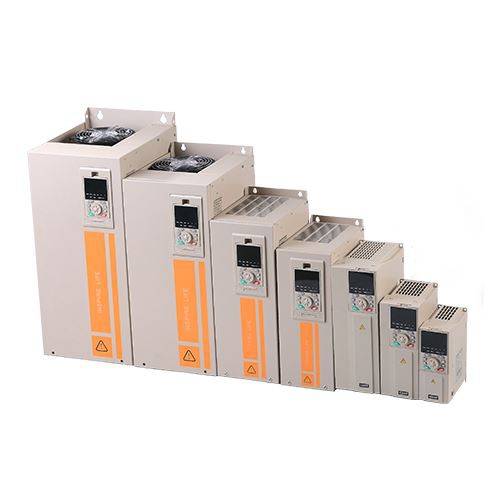
- Industrial Applications:
- In manufacturing plants, conveyor belts can use the multi - speed function to adjust the transport speed according to the production line's requirements. This can improve production efficiency and reduce energy consumption.
- In pumps and fans, the multi - speed function allows for adjusting the flow rate and air volume, which is beneficial for maintaining stable system pressure and saving energy.
- Commercial Applications:
- In HVAC systems, the multi - speed function of the VFD can control the speed of the fans and pumps, providing better temperature and humidity control while reducing energy costs.
If you are also interested in higher - power VFDs, such as 11KW VFD, we offer reliable products. In addition, our Outdoor VFD and Outdoor VFD are designed to withstand harsh environmental conditions and are suitable for various outdoor applications.
If you are in need of 5.5KW VFDs or other related products, or if you have any questions about setting the multi - speed function, please feel free to contact us for procurement and further discussions. We are committed to providing you with high - quality products and professional technical support.
References
- Various VFD user manuals and technical documents provided by VFD manufacturers.
- Industry - specific research papers on motor control and energy efficiency.