

Hey there! As an LCD panel supplier, I've been thinking a lot about what features an LCD panel should have for video conferencing. Video conferencing has become an essential part of our lives, whether it's for work meetings, catching up with family and friends, or even for educational purposes. So, let's dive into the key features that can make an LCD panel a great choice for video conferencing.
High - Resolution Display
First off, a high - resolution display is a must. In a video conference, you want to see every detail clearly, whether it's the facial expressions of your colleagues or the text on a presentation. A panel with at least a Full HD (1920x1080) resolution is a good starting point. But if you can go for a 4K (3840x2160) resolution, that's even better. With 4K, the image is incredibly sharp, and you can zoom in on parts of the screen without losing much clarity. This is especially useful when you're looking at detailed graphs or blueprints during a work meeting.
Wide Viewing Angles
Another important feature is wide viewing angles. In a video conferencing setup, multiple people might be sitting around the screen. You don't want the image to look distorted or lose color accuracy when someone is sitting off to the side. An LCD panel with wide viewing angles, say 170 - 180 degrees horizontally and vertically, ensures that everyone in the room can see a clear and accurate image. This way, no matter where people are sitting, they can fully participate in the conference.
Good Color Accuracy
Color accuracy is also crucial. You want the colors on the screen to be as close to real - life as possible. This is important for presentations that rely on color - coded information, or for simply having a more immersive and natural video conferencing experience. A panel with a high Delta E value (ideally less than 2) is a good sign of good color accuracy. It means that the colors on the screen are very close to the standard colors, and there won't be any noticeable color shifts.

Low Input Lag
When it comes to video conferencing, low input lag is essential. Input lag is the time it takes for the panel to display an image after it receives the signal. If the input lag is too high, there will be a noticeable delay between what's happening on the other end of the call and what you see on the screen. This can be really frustrating, especially during fast - paced discussions or when there are live demonstrations. A panel with an input lag of less than 10 milliseconds is considered good for video conferencing.
High Refresh Rate
A high refresh rate can also enhance the video conferencing experience. A refresh rate of 60Hz is the standard, but a panel with a higher refresh rate, like 120Hz or even 144Hz, can make the video look smoother. This is particularly beneficial when there is a lot of movement on the screen, such as people walking around or animated presentations. It reduces motion blur and makes the overall video look more fluid.
Anti - Glare Coating
Glare can be a real problem in video conferencing, especially if there are windows or bright lights in the room. An LCD panel with an anti - glare coating helps to reduce reflections and make the screen easier to see. This means that you can focus on the video call without being distracted by glare from the light sources in the room.
Built - in Speakers
Having built - in speakers can be a convenient feature. It eliminates the need for separate speakers, which can save space and simplify the setup. However, the quality of the built - in speakers varies. Look for a panel with speakers that have good sound quality, with clear highs and lows and enough volume to fill the room.
Connectivity Options
A good LCD panel for video conferencing should have a variety of connectivity options. You'll likely need to connect it to a computer, a webcam, and maybe even other devices. Look for panels that have HDMI, DisplayPort, USB, and audio ports. This way, you can easily connect all the necessary equipment for a seamless video conferencing setup. For example, HDMI is great for transmitting high - quality video and audio signals, while USB ports can be used to connect external devices like webcams or microphones.
Energy Efficiency
Energy efficiency is an often - overlooked feature. An energy - efficient LCD panel not only helps to reduce your electricity bill but also has a lower environmental impact. Look for panels that have an Energy Star rating or other energy - saving certifications. These panels are designed to consume less power without sacrificing performance.
Now, I know what you might be thinking. "Where can I find an LCD panel with all these great features?" Well, that's where we come in. As an LCD panel supplier, we offer a wide range of panels that are specifically designed for video conferencing. Our panels come with high - resolution displays, wide viewing angles, excellent color accuracy, and all the other features we've talked about.
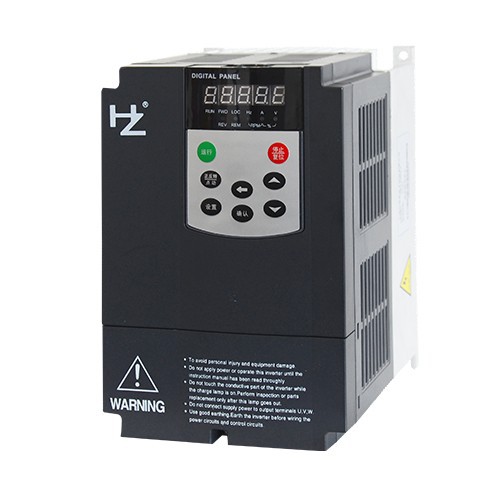
If you're interested in learning more about our LED Digital Panel, which can also be a great addition to your video conferencing setup, or our Brake Unit and Braking Resistance for VFD for other related applications, just reach out to us. We'd be more than happy to discuss your specific needs and help you find the perfect LCD panel for your video conferencing requirements. Whether you're a small business looking for a simple setup or a large corporation in need of a high - end solution, we've got you covered. So, don't hesitate to contact us for a quote and start improving your video conferencing experience today!
References
- Some industry reports on display technologies for video conferencing.
- Technical specifications from various LCD panel manufacturers.